Create Your
Masterpiece.
The sophisticated writing environment for authors. Every tool needed in one place.
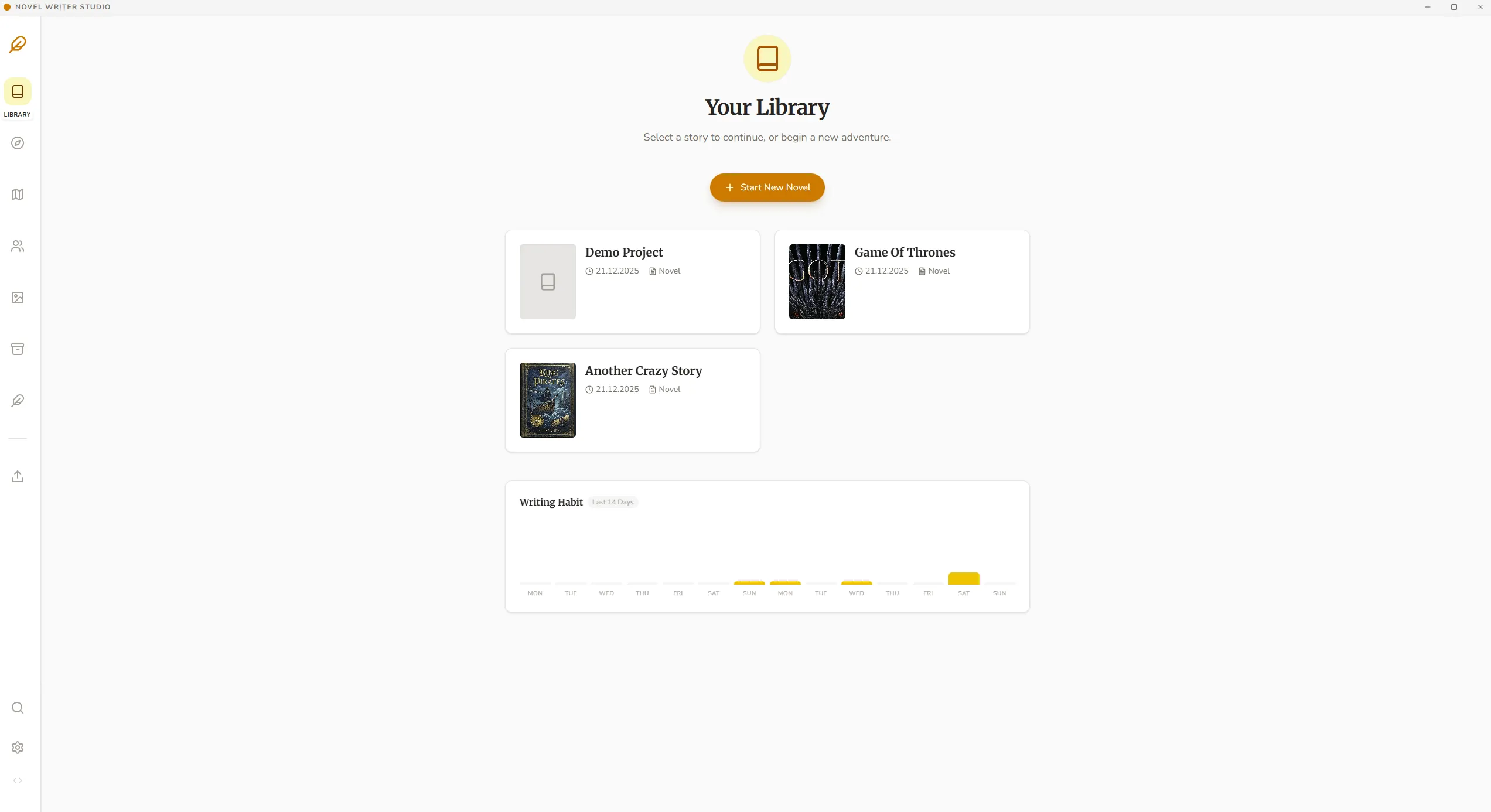
Your Library.
Your novels.
Manage all your book projects in an elegant overview. Keep track of your progress, word goals, and deadlines.
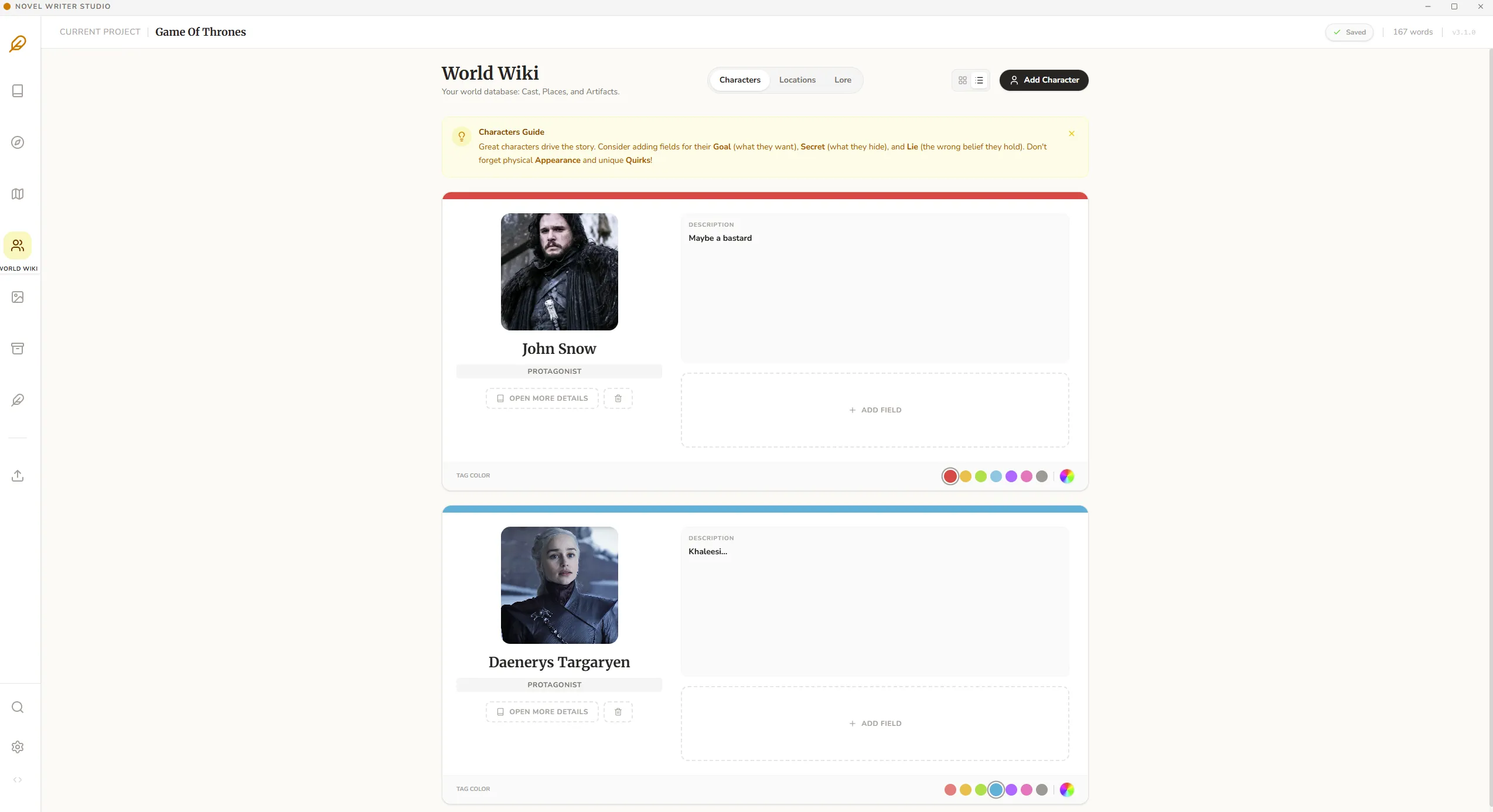
World Wiki.
Characters, locations and lore.
Characters, locations, and lore – all connected in one place. Create detailed profiles and keep an eye on your world's consistency.
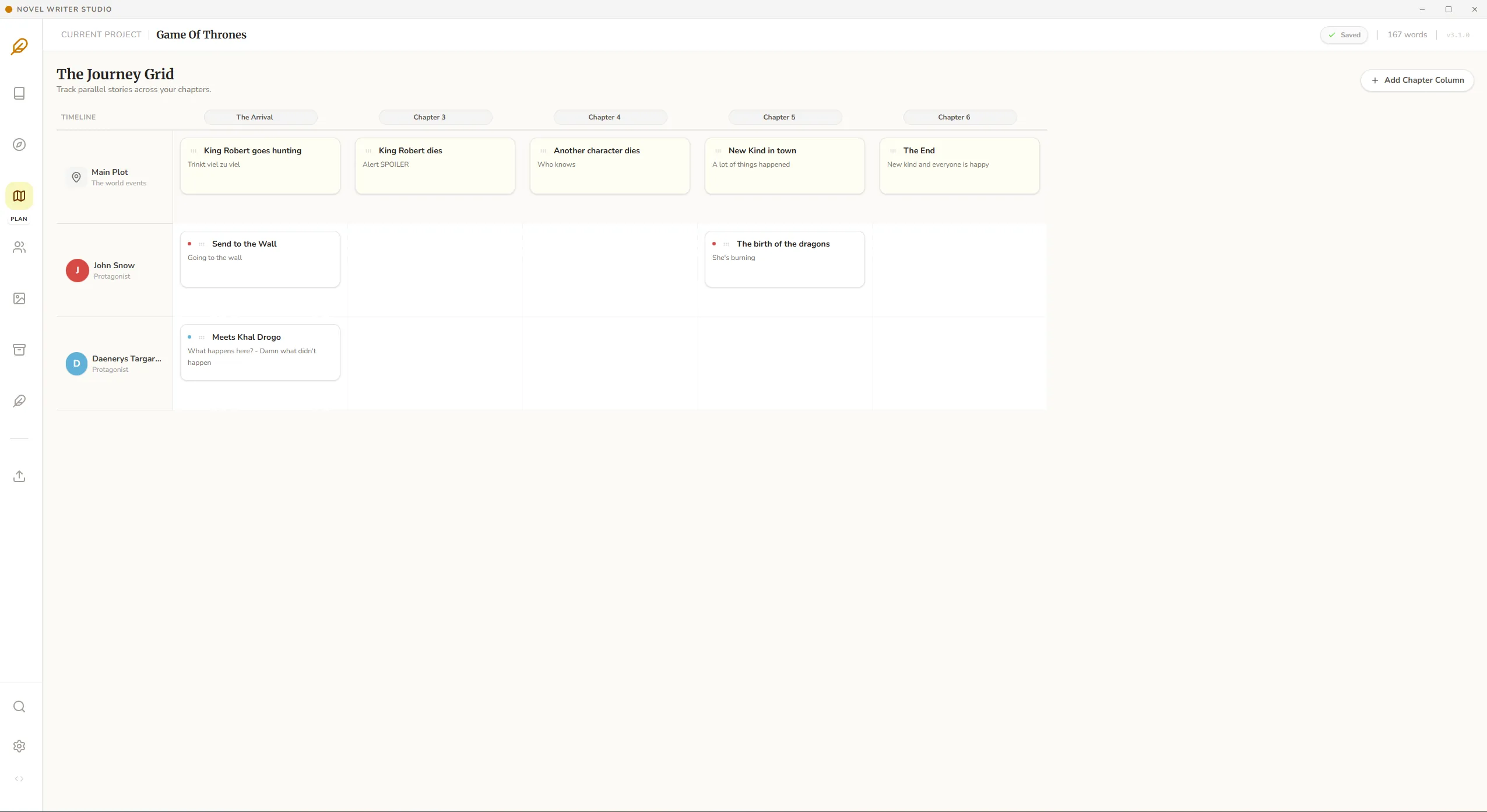
Journey Grid.
Complex Story and character stories.
Plan complex storylines and character arcs. Visualize narrative arcs and logically link scenes together.
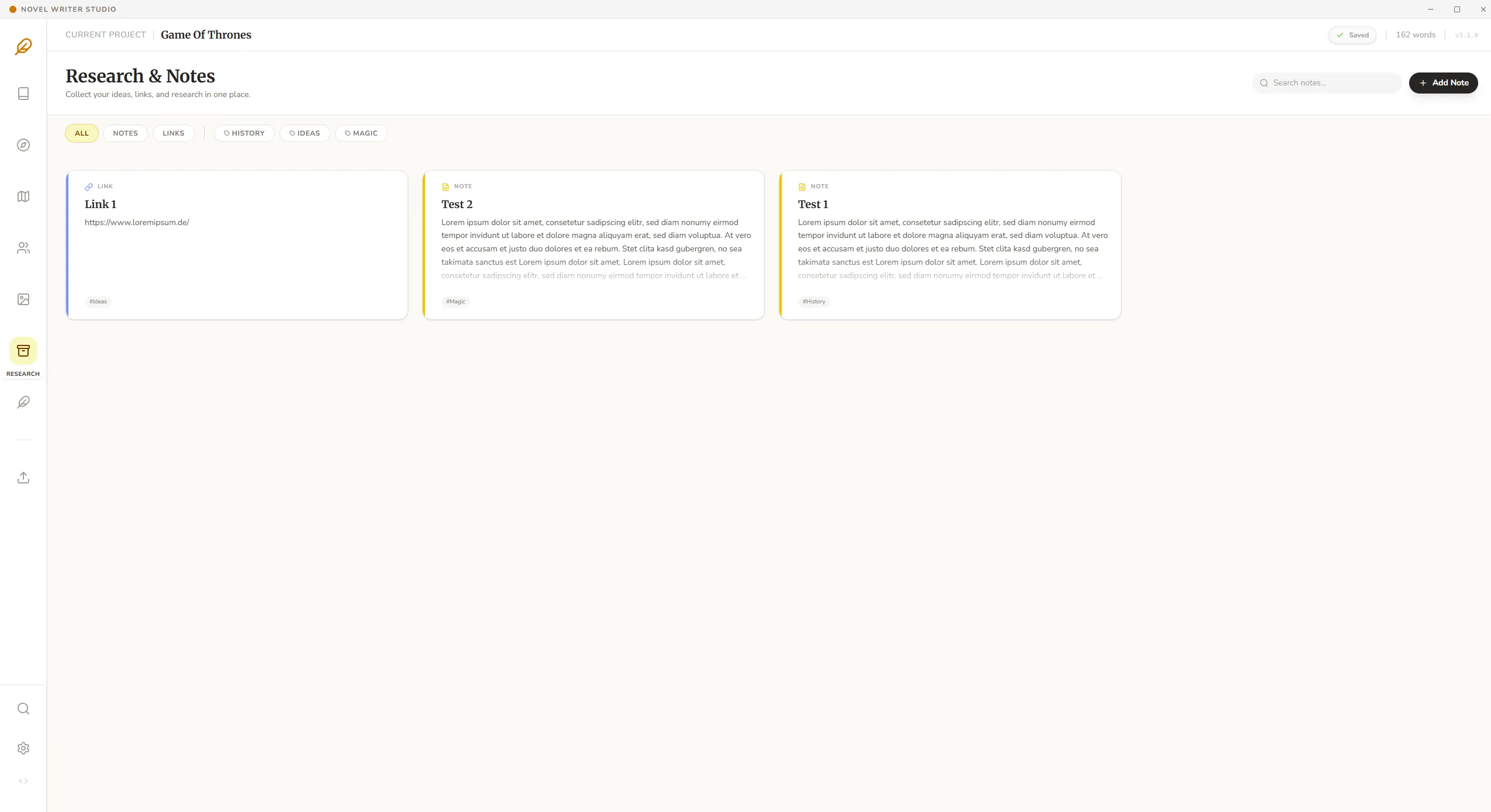
Research & Notes.
Knowledge is power.
Gather your research and notes in one place. Link facts to your story and keep track of everything.
Gallery.
Visual collection.
A visual collection of your world. Store inspiration images, maps, and character portraits.

Powerful Editor.
Focus & Design.
A design-oriented editor for maximum focus. Formatting, notes, character descriptions and goals – everything professionals need.
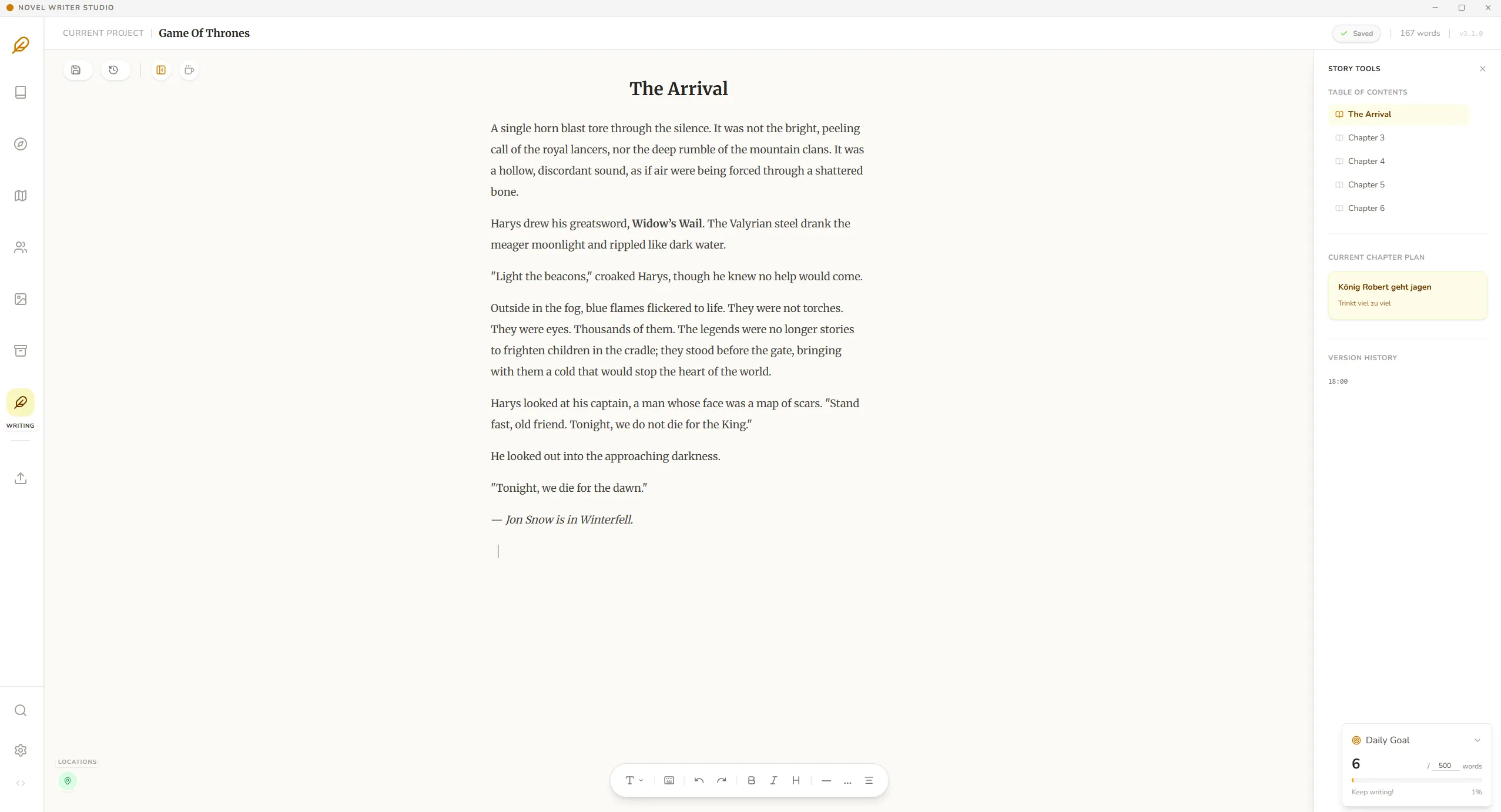
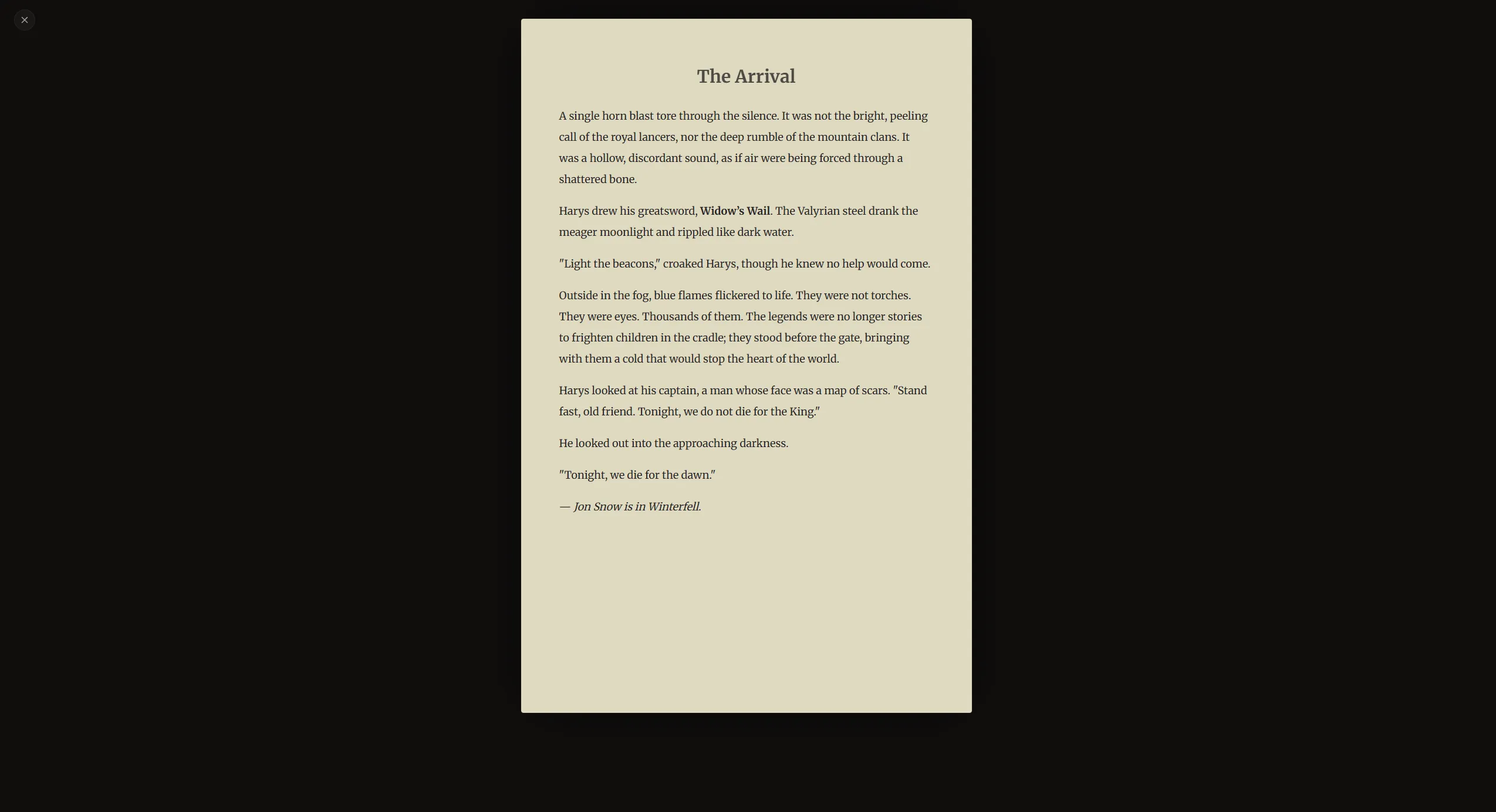
Zen Mode.
Pure focus.
When it's just about the next word. Hide the entire interface and dive deep into your writing flow.
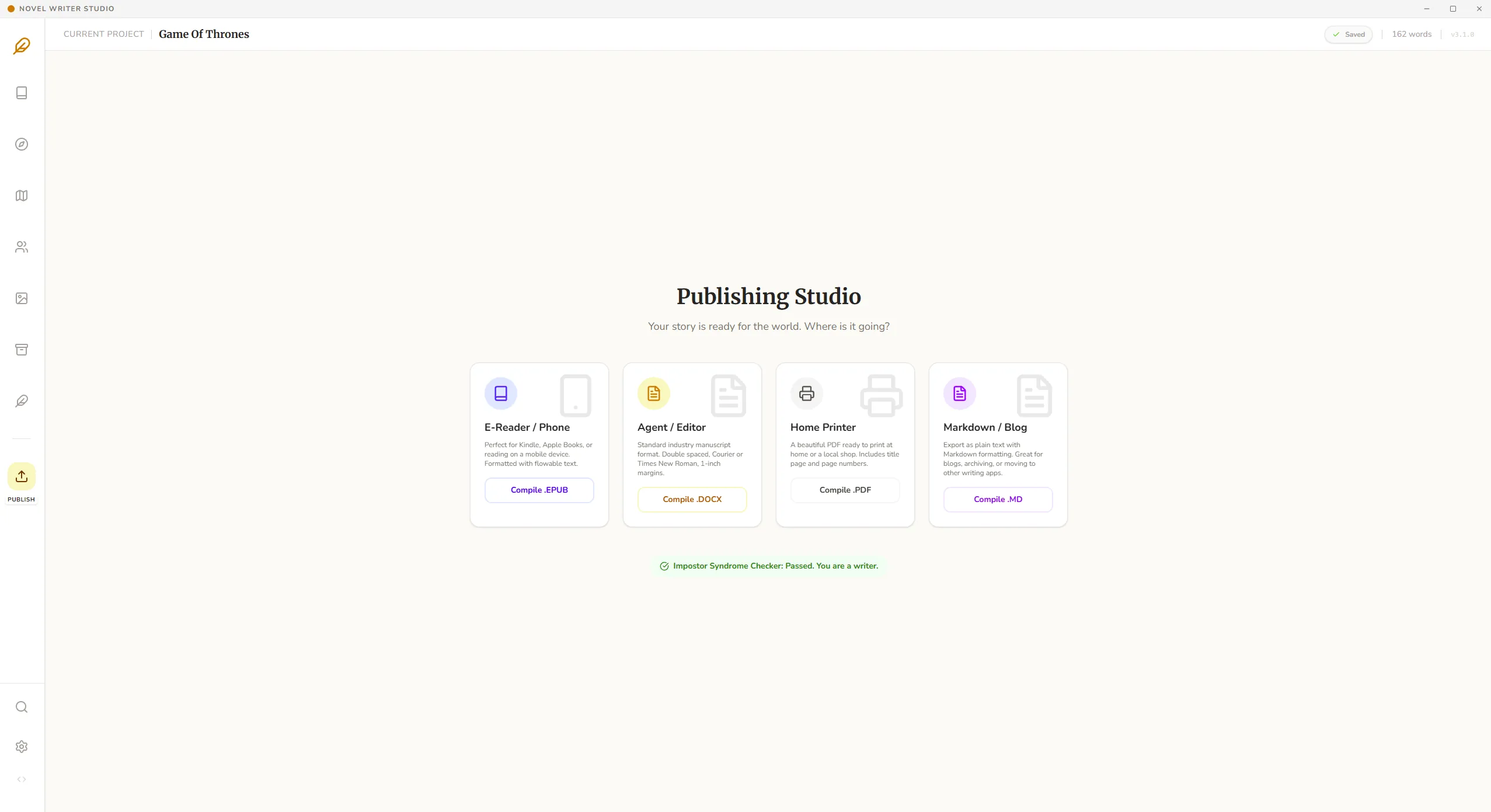
Publish.
Export in any format.
Export your manuscript in docx, epub, pdf, and .md. Ready for publishing or self-publishing.
Distraction-free Writing
Immerse yourself in a clean interface that disappears as you type. Focus mode fades out the world so you can find your flow.
Intelligent Plot Management
Visualize your narrative arc with our intuitive timeline view. Move scenes via drag & drop to instantly restructure your narrative.
Export to Any Format
Ready to publish? Compile your manuscript with one click into industry-standard PDF, ePub, or Docx formats.
Feature Overview
Current Features
- Manage multiple projects simultaneously
- Plot plan with timeline and chapter moments
- Story Bible for characters, locations, and items
- Beautiful writing interface with spell check
- Focus Mode (only the 'paper' is visible)
- Daily word goal (500 words) with progress bar
- Habit tracker for writing statistics
- Export as .epub, .docx, and .pdf
- Global search function for quick changes
Currently Planned
- Text-to-Speech function ('Prooflistening')
Technical
- Developed with React.js & Electron
- Local SQLite Database (Offline-First)
- Cross-Platform Architecture
Why I Built This
Hello, I'm Alpacino. I'm a developer, but at heart, I'm a storyteller just like you.
I built Novel Writer Studio because I was tired of writing software that felt like a spreadsheet. I wanted a digital sanctuary – a place where the noise fades and only the story remains. This project is my love letter to the craft of writing.
Start Your Journey
Novel Writer Studio is free software (freeware). This hobby project was developed to support authors – without financial barriers.
- Full Manuscript Editor
- Character Database
- Unlimited Projects
By downloading, you accept the Terms of Use.
The software is exactly the same. No hidden features, no paywalls.
But code turns into coffee, and coffee turns into more code. If you like the app, consider fueling my caffeine addiction. Ko-fi is a secure platform where you can support creators with any amount.
Important Download Note
Since I am a solo developer and code signing certificates are very expensive (approx. 400€/year), this software is not digitally signed. Browsers and Windows SmartScreen are trained to sound the alarm for unknown files.
🛡️ Don't worry: The file is safe and virus-free. This is a standard warning for new software.
1Bypass Browser Warning
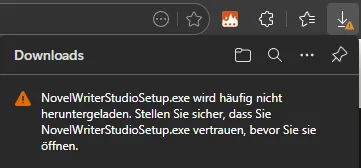
The browser may block the download. Click on the three dots and select "Keep".
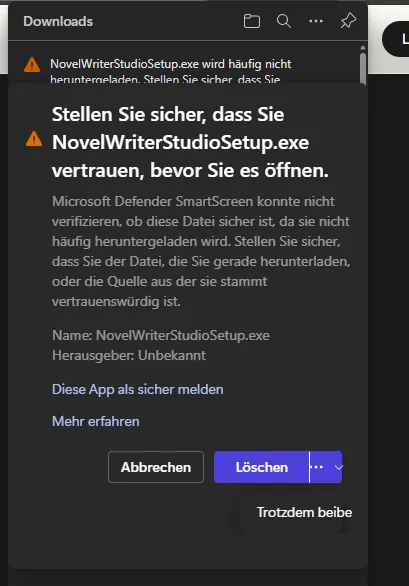
Confirm the security prompt again by clicking on "Show more" (arrow) and then "Keep anyway".
2Windows SmartScreen Warning
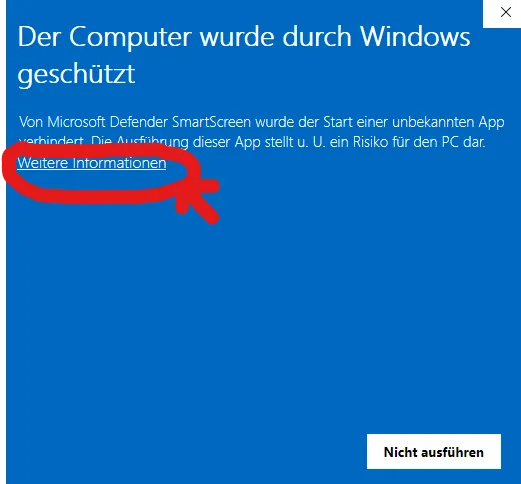
Windows blocks the start ("Windows protected your PC"). Click on "More info".
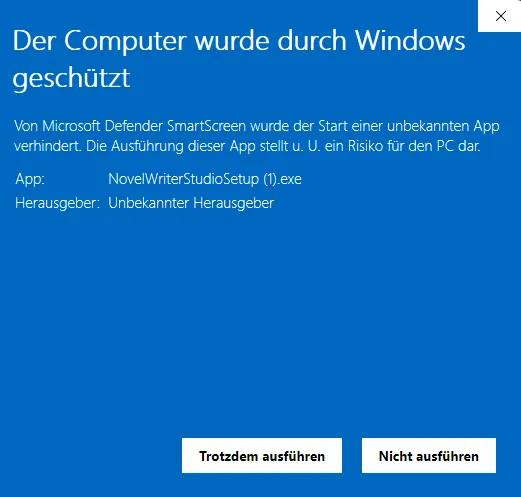
A new button appears. Click on "Run anyway" to start the installation.
Version History
Transparent development and updates.
Version 3.1.0
Published on 21.12.2025
- Bug Fixing: Numerous bug fixes for a more stable application
- Design & Usability: Greatly improved design and optimized usability
- Direct Knowledge Access: Characters and World Wiki entries can now be opened directly in the editor – perfect for looking up forgotten details
Version 3.0.4
Published on 17.12.2025
- Custom Fields: Add your own data fields to characters, items, and locations
- Advanced Undo/Redo: Step-by-step undo/redo in the editor
- Character Quick View: Open character details in a separate window while writing
- Context Awareness: Automatic display of details for mentioned locations and items
- Character Portraits: Image upload for characters
- Cover Integration: Image upload for book cover
- Research Hub: Dedicated area for notes and research
- Media Gallery: Clear display of all uploaded media
Version 2.0.1
Published on 15.12.2025
- Bug Fix: Scrolling in Story Bible now possible
- Improvement: Character fields can now be expanded for better editing
Version 2.0.0
Published on 14.12.2025
- Complete UI overhaul / Dark Mode added
- New 'Zen Mode' for distraction-free writing
- Performance improvements when loading large projects
- Export function optimized for .epub and .docx
Version 1.0.0
Published on 13.12.2025
- First release
- Basic editor functions
- Character database